



QNAP TS-216G 2-Bay Desktop NAS Enclosure
TS-216G
Condition: NEW
- Regular price
-
Dhs. 1,094.00 (exc. Vat) - Regular price
-
(exc. Vat) - Sale price
-
Dhs. 1,094.00 (exc. Vat)
-
Hurry, only 1 item left in stock!
Couldn't load pickup availability
Confirm Availability & Best Price
This model is fulfilled through our verified supplier network. Message us for live stock status and pricing.
Enquire NowGenuine Guarantee
Shop with Confidence: Authentic IT Products from Major Brands.
Shipping information
We offer FREE DELIVERY for order over AED 200. Also no additional Cash on Delivery (COD) fee.
Click here to know more
Returns information
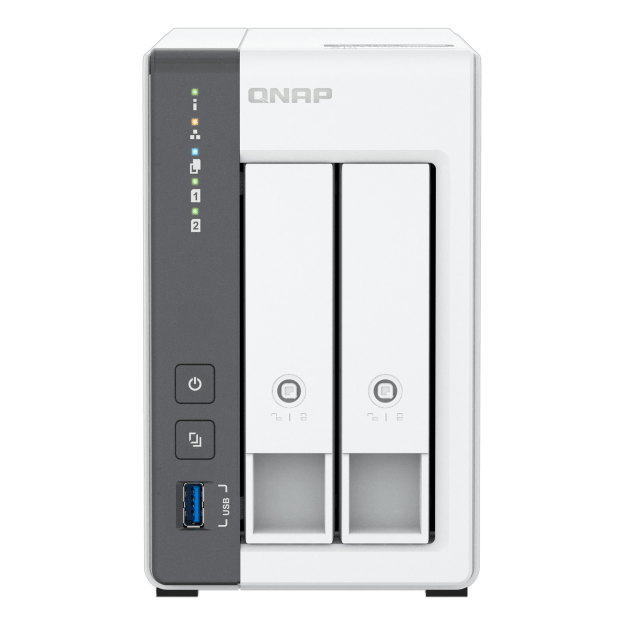
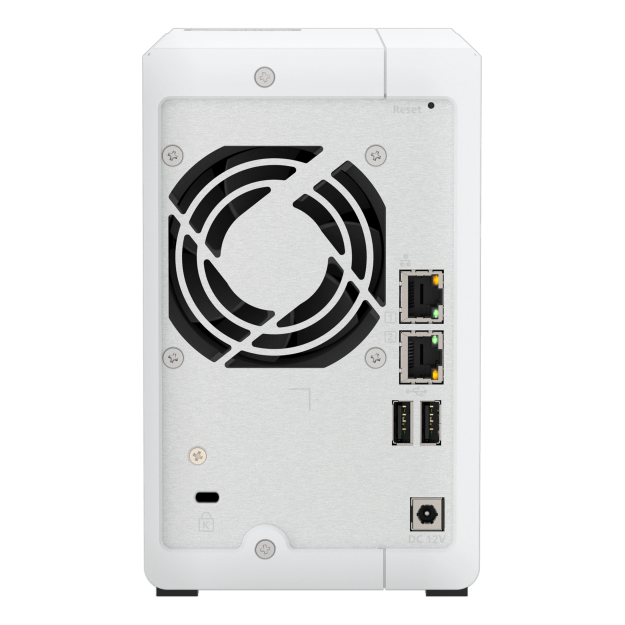

QNAP Network Attached Storage
QNAP TS-216G 2-Bay Desktop NAS Enclosure
A compact two-bay desktop NAS for a home office or a small team — file sharing, automatic backup and an AI-indexed photo library, on about 14 W. Quad-core ARM Cortex-A55 with a neural processing unit, 4 GB of memory, and a 2.5GbE port alongside a Gigabit one. Supplied without drives — you choose and budget for those separately.
Quick Glance
Key Features
Quad-core ARM with an AI engine on board
A four-core Cortex-A55 at 2.0 GHz with Mali-G52 graphics and a neural processing unit, so photo recognition in QuMagie runs on the NAS itself rather than competing with your file transfers.
2.5GbE without recabling
The 2.5GbE port negotiates down to 1G and 100M, so the CAT5e already in the wall carries the upgrade. A second Gigabit port sits alongside it for separating traffic or keeping a management path open.
Quiet enough for a desk
One 70 mm fan, 13.9 W typical in operation and under 5 W with the drives asleep — a machine that can live in the room people work in rather than a comms cupboard.
Detailed Specifications
Specifications are provided by the manufacturer and may be updated or changed without prior notice. AtomOffice is not responsible for any discrepancies between the information shown here and the manufacturer's official documentation.
Need-to-Know
- The TS-216G ships as a bare enclosure. Budget for two SATA drives on top, and check them against QNAP's compatibility list before ordering — not every drive is validated for NAS use.
- The 4 GB of memory is soldered to the board and cannot be expanded. Unlike QNAP's x86 models there is no upgrade path, so size the workload against 4 GB from the start.
- The warranty is 2 years on the NAS — not the 3 years QNAP gives its x86 range — and 1 year on the bundled adapter and accessories.
- There are two network ports but they are not a matched pair: one 2.5GbE and one Gigabit. That is useful for separating traffic or as a failover path, but it will not combine into a single 5 Gbps link the way two identical 2.5GbE ports would.
- The TS-216G is supplied as a diskless enclosure. Hard drives and SSDs are not included and are ordered separately — ask us and we will quote drives alongside the unit.
Best For / Customer Benefits
Customer Benefits
- One shared drive for the whole office, instead of files living on whichever laptop made them.
- Automatic backup for Macs and PCs, so a lost laptop stops being a lost week.
- 2.5GbE over the CAT5e already in the wall — a speed upgrade with no recabling.
- Small, quiet and about 14 W, so it can sit in the office rather than needing a cupboard.
Best For
Official & Recommended Options
Don't see the accessory you need? Email info@atomoffice.com — we carry a range of QNAP storage accessories and can help you find the right fit.
Learn More About the TS-216G
Frequently Asked Questions
No. It is sold as a diskless enclosure, so you choose the drives to suit the capacity and budget you need. It takes two 3.5-inch SATA hard drives or 2.5-inch SATA SSDs. Check any drive against QNAP's compatibility list first — we are happy to quote validated NAS drives alongside the unit.
No. The 4 GB is soldered to the board and there is no SODIMM slot, so this is the memory the unit will always have. If you expect to run several virtual machines or heavy multi-user workloads, an x86 QNAP with socketed memory is the better starting point — talk to us and we will size it with you.
Not to 5 Gbps. The TS-216G has one 2.5GbE port and one Gigabit port rather than a matched pair, so link aggregation cannot double the 2.5GbE figure. The second port is still useful for separating traffic, keeping a management path open, or failover.
No. QuTS hero, QNAP's ZFS-based operating system, is limited to the x86 range. The TS-216G is an ARM model and runs QTS, which still covers snapshots, backup, file sharing and the app centre.
Not Sure How Many Bays or Which Drives?
Tell our UAE team what you are storing, how fast it needs to be and how much you can afford to lose, and we will size the NAS, the drives and the RAID level with you — including when a smaller unit is the right answer.