



Epson EB-1485Fi Interactive Laser Projector, Full HD 1080p, 5,000 Lumens (V11H919041)
V11H919041
Condition: NEW
Get a tailored quote
Tap Request a Quote below to reach our team on WhatsApp.
- Genuine, brand-new stock with full manufacturer warranty
- Pricing based on quantity, with volume rates for bulk orders
- Help choosing the right option for your office or team
- Delivery anywhere in the UAE
IMAGES ARE FOR ILLUSTRATIVE PURPOSES ONLY
Couldn't load pickup availability
Genuine Guarantee
Shop with Confidence: Authentic IT Products from Major Brands.
Shipping information
We offer FREE DELIVERY for order over AED 200. Also no additional Cash on Delivery (COD) fee.
Click here to know more
Returns information


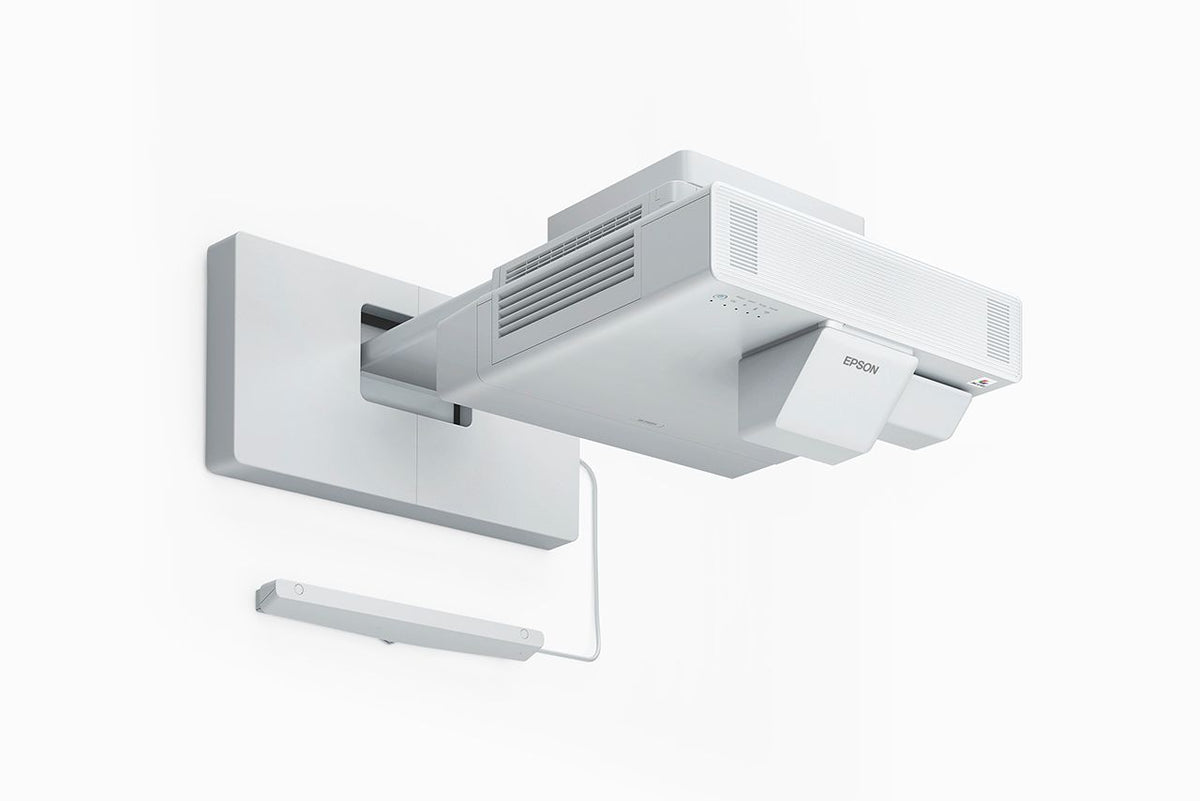


Epson interactive laser projector for meeting rooms
Epson EB-1485Fi Full HD Interactive Laser Projector with Finger-Touch
The Epson EB-1485Fi is an ultra-short-throw Full HD (1080p) interactive 3LCD laser projector for boardrooms, meeting rooms and classrooms. It turns a wall into an interactive meeting display from 65 to 100 inches, with pen and finger-touch interaction, a sliding split screen showing up to four sources, 5,000 lumens of colour light output and HDBaseT and HDMI Out. Pens, a finger touch unit, a wall bracket and an HDBaseT control box are in the box. Part number V11H919041.
Quick Glance
Key Features
All-in-one interactive meeting display
Pen and finger-touch interaction, with dual pen support, lets the EB-1485Fi combine several resources in one collaboration device. Epson lists PC free annotation, a whiteboard sharing function, PC interactive mode, an interactive OSD menu and the Projection App for Chromebook, with interactive pens, a pen holder and a finger touch unit in the box.
Share content from several devices at once
A sliding split screen shows up to four displays in one image from different sources. Screen share, screen mirroring, the Epson iProjection App and network projection support sharing from a range of devices, and HDBaseT and HDMI Out are listed among Epson's highlights, with an HDBaseT connection and control box in the box.
Full HD laser picture, quick set-up
Three 0.62-inch C2 Fine LCD panels give a Full HD 1080p picture with 5,000 lumens of colour light output (ISO 21118:2012) and a 5,000,000:1 contrast ratio. An ultra-short-throw lens (0.27 to 0.37) projects from 65 to 100 inches, auto calibration adjusts the image quickly, and the laser is rated at 20,000 hours (High) and 30,000 hours (Eco).
Detailed Specifications
Specifications are Epson's own, from Epson's product page for the EB-1485Fi (V11H919041). Colour light output is measured in accordance with ISO 21118:2012.
Need-to-Know
- Epson's specification lists the projector as wireless LAN capable and offers a wireless LAN unit as an option, so wireless use may need that unit. Ask us to confirm before ordering if you plan to share wirelessly.
- Epson's specification does not list the individual input ports or a weight for this model. Ask us before ordering if either matters for your installation.
- Light output is Epson's colour light output figure, measured in accordance with ISO 21118:2012.
- Interactive software is listed for Windows 10 (32/64 bit); the Projection App for Chromebook is also on Epson's feature list.
Best For / Customer Benefits
Customer Benefits
- Pen and finger-touch interaction turns a wall into an interactive display of up to 100 inches.
- A sliding split screen shows up to four sources at once for shared meetings and lessons.
- A laser light source rated at 20,000 hours in High mode and 30,000 hours in Eco mode, with no lamp to replace.
- Pens, finger touch unit, wall bracket and HDBaseT control box come in the box.
- Auto calibration and corner markers make set-up of the interactive image quicker.
Best For
Frequently Asked Questions
Epson lists pen and finger-touch interactivity with dual pen support. Interactive pens, a pen holder, spare pen tips and a finger touch unit are in the box, and features include PC free annotation, PC interactive mode and a whiteboard sharing function.
Epson lists a screen size of 65 to 100 inches with an ultra-short throw ratio of 0.27 to 0.37, so the projector is mounted close to the wall with the wall hanging bracket supplied in the box.
Yes. The sliding split screen shows up to four displays in one image, projecting images from different sources, and screen share and screen mirroring are among Epson's listed features.
Epson rates the laser light source at 20,000 hours in High mode and 30,000 hours in Eco mode. There is no lamp to replace.
Epson lists interactive pens, a pen holder/stand, 2 Teflon and 4 felt pen tips, a finger touch unit, a wall hanging bracket, an HDBaseT connection and control box, a cable cover, a safety cable, corner markers for auto screen adjustment, the remote control with batteries, the power cable and manuals.
Ask about the Epson EB-1485Fi
Tell us the room, wall size and how many people will interact with it, and we will confirm the installation and send a quote.