



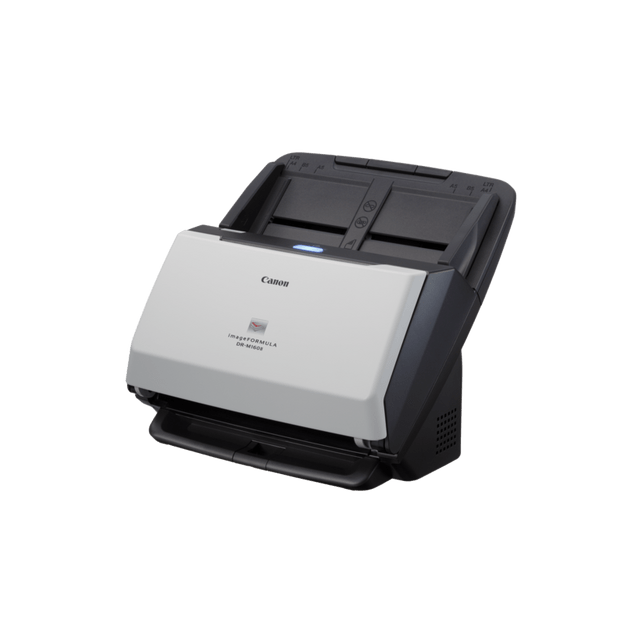
Canon imageFORMULA DR-M160II High-Speed Departmental Document Scanner
DR-M160II
Condition: NEW
Get a tailored quote
Tap Request a Quote below to reach our team on WhatsApp.
- Price for your exact configuration — trays, finisher, fax, cabinet
- Delivery and installation anywhere in the UAE
- Toner and service plan sized to your monthly print volume
- Volume pricing for multiple units
IMAGES ARE FOR ILLUSTRATIVE PURPOSES ONLY

Authorised Canon Platinum Partner
Buy Canon products with a 100% genuine guarantee.
Experience Canon printing solutions at the Print & Imaging Lab, our experience centre in Dubai.
Couldn't load pickup availability
Genuine Guarantee
Shop with Confidence: Authentic IT Products from Major Brands.
Shipping information
We offer FREE DELIVERY for order over AED 200. Also no additional Cash on Delivery (COD) fee.
Click here to know more
Returns information
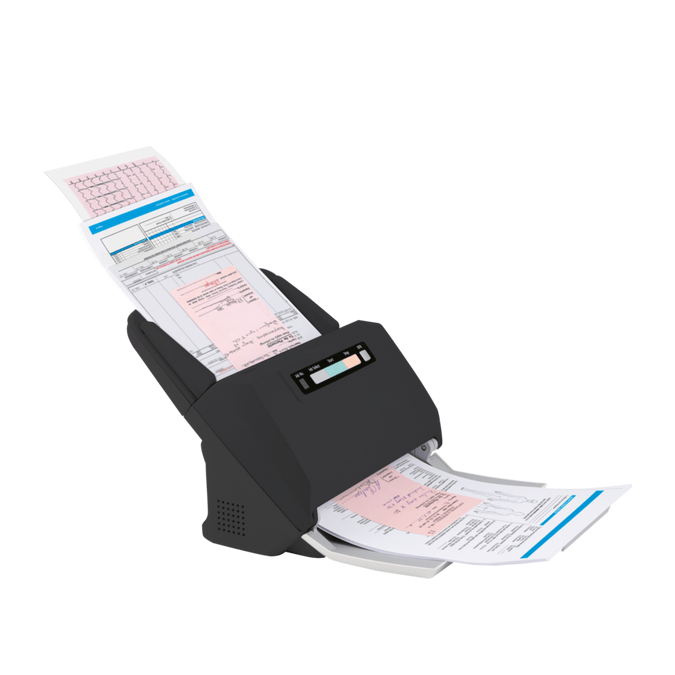


Canon imageFORMULA Departmental Document Scanner
Canon imageFORMULA DR-M160II — High-Speed Departmental Scanner
A productivity-focused desktop scanner for paper-intensive departments. The DR-M160II scans at 60 ppm / 120 ipm in colour and mono from a 75-sheet feeder, and Canon rates it for 7,500 to 13,000 scans a day. A separation-retry system automatically re-feeds a document after a double-feed is detected, and the bundled software covers both Windows and Mac, including CaptureOnTouch Pro's Full Auto Mode for simplified everyday scanning.
Quick Glance
Key Features
60 ppm / 120 ipm for high-volume scanning
Rated for the same 60 ppm speed in colour and in black and white, with a 75-sheet feeder built for mixed batched documents. Canon suggests a daily duty cycle of 7,500 to 13,000 scans, aimed squarely at paper-intensive departments.
Separation retry recovers from a double feed automatically
On the rare occasions a double feed is detected, the DR-M160II automatically re-feeds the documents rather than stopping and waiting for someone to intervene, which keeps a long batch moving.
Windows and Mac software in the box
CaptureOnTouch Pro (Windows) has a Full Auto Mode for one-touch scanning, and CaptureOnTouch with the TWAIN driver covers Mac, so the same scanner can serve a mixed-OS office.
Detailed Specifications
Specifications are provided by the manufacturer and may be updated or changed without prior notice. AtomOffice is not responsible for any discrepancies between the information shown here and the manufacturer's official documentation.
Need-to-Know
The DR-M160II sits between the compact DR-M140II and the larger-feeder DR-M260 in Canon's departmental DR-M line, all sharing the same 60 ppm speed as the M260.
- USB only — there is no network or Wi-Fi connection on this model. It scans to the single computer it is plugged into.
- Open, the DR-M160II needs a deep 606 mm of clearance behind it (280 x 606 x 366.4 mm) — check desk depth before ordering if space is tight.
- Advanced Text Enhancement runs on Windows only; Mac users get the TWAIN driver and CaptureOnTouch without that mode.
- The A4 (102) and A3 (202) flatbed units are optional accessories sold separately — the scanner itself is sheet-fed only.
| Model | Scan speed (mono) | Feeder | Daily duty cycle |
|---|---|---|---|
| imageFORMULA DR-M140II | 40 ppm / 80 ipm | 80 sheets | 6,000 – 8,500 scans |
| imageFORMULA DR-M160II (this page) | 60 ppm / 120 ipm | 75 sheets | 7,500 – 13,000 scans |
| imageFORMULA DR-M260 | 60 ppm / 120 ipm | 90 sheets | 7,500 – 13,000 scans |
| imageFORMULA DR-M1060II | 60 ppm / 120 ipm | 80 sheets | 7,500 – 13,000 scans |
Choose the DR-M160II for Mac compatibility, the DR-M260 for a larger feeder, and the DR-M1060II when you need A3 rather than A4 scanning.
Best For / Customer Benefits
Customer Benefits
- Scans both sides of a page in one pass at 60 ppm / 120 ipm, in colour and in black and white.
- Separation retry automatically re-feeds documents after a double feed, keeping long batches moving.
- Bundled software covers both Windows (CaptureOnTouch Pro, Tungsten VRS) and Mac (TWAIN, CaptureOnTouch).
- Handles embossed and plastic cards up to 85.5 mm without a separate card reader.
Best For
Official & Recommended Options
Need a roller kit, a carrier sheet or a flatbed unit? Contact us — we can confirm what fits your scanner before you order.
Frequently Asked Questions
Canon rates it at 60 pages per minute, or 120 images per minute scanning both sides, at the same speed in colour and in black and white.
Yes. Canon lists a TWAIN driver and CaptureOnTouch for Mac, alongside the fuller Windows software bundle that includes CaptureOnTouch Pro and Tungsten VRS.
Ultrasonic double-feed detection catches it, and a separation retry system automatically re-feeds the documents rather than stopping the batch outright.
Closed, it is 280 x 172 x 178 mm, but with the tray open it needs 606 mm of depth behind it — worth checking against your desk before you order.
Canon gives a daily duty cycle of 7,500 to 13,000 scans, the same suggested range as the DR-M260. The DR-M140II below it is rated lower, at 6,000 to 8,500.
Need a high-speed departmental scanner?
Tell us your daily page volume and which operating systems you run, and we will confirm whether the DR-M160II is the right fit.